


HotVPN - Fast, Safe VPN
4.5213.00 Reviews
App Specs
- Version
- 9.2.1
- Updated On
- License
- Free
- Downloads
- 1,000,000+
- Developer
- HotCodes
- Categories
- Tools
- Platform
- Android
Screenshots

 Analysis by AppCompare
When I choose a VPN, I want a quick way to protect everyday browsing, not another project to configure. HotVPN - Fast, Safe VPN makes a clear case for itself through a simple approach: connect, get on with what you were doing, and avoid a maze of settings. That convenience is its strongest appeal, but it is not a substitute for checking whether a VPN’s privacy practices and controls suit your needs. I see it as a potentially handy everyday tool, rather than an automatic answer for every privacy or streaming problem.
A practical fit for routine connections
A VPN is most useful when it fits naturally into a routine. For example, if I’m checking messages and reading news while waiting at a café, I’d rather have a clear connection flow than spend that short break learning a complicated dashboard. HotVPN is designed around that kind of low-friction use: its stated purpose is a secure, fast connection, and the app is presented as a straightforward tool rather than a broader security suite.
That simplicity can help someone who has never used a VPN before understand the basic action: connect before browsing when they want traffic routed through a VPN. It can also suit a person who already knows why they want a VPN but prefers not to manage lots of settings each time. The useful question is not whether one tap feels easy; it is whether the connection remains appropriate for the task. For routine reading or general browsing, convenience may be enough. For sensitive work, I would make privacy practices and connection behavior part of the decision, not assume that a simple interface proves anything about them.
What to check before relying on it
People often ask whether a VPN makes online activity completely private. I would not treat any VPN as an invisibility switch. A VPN changes how a connection is routed, but it does not make a person anonymous across websites, prevent every form of tracking, or protect an account if its password is compromised. I’d still use unique passwords, keep apps and the operating system updated, and be careful about what I share. That distinction matters especially when a product’s appeal is framed around safety: a VPN is one layer, not a complete security plan.
Another sensible check is whether the app’s connection is active when you expect it to be. Before using a VPN for a particular task, I’d connect and confirm the app shows an active session, then avoid assuming that the protection will necessarily reconnect after a network change. Moving between Wi-Fi and mobile data is a good moment to check. This is a small habit, but it is more useful than relying on a reassuring icon without paying attention to whether the connection is actually in place.
HotVPN is a free tools app from HotCodes. It has an average rating of 4.5 from around 3.9 thousand ratings, with more than a million installs, so there is meaningful uptake among Android users. It is rated for Everyone, was released on July 12, 2023, and version 9.2.1 requires Android 6.0 or later. Those details make it accessible to a broad range of Android devices, though anyone considering it on iOS should check the relevant store page for compatibility on their own device.
Where a simple VPN can be the wrong choice
If your main reason for installing a VPN is to watch a particular show from another country, I would be cautious about choosing on the basis of server locations alone. Streaming services can change how they handle VPN traffic, and a location option does not guarantee that a stream will work. The same applies to speed: a fast-feeling connection for ordinary browsing does not promise the same result for every server, network, or video. For a streaming-first use case, I’d compare services based on current access reliability and the controls they offer, rather than treating a general speed claim as a guarantee.
Worth Reading Before You Choose

EA SPORTS FC Mobile 26 Is a Bigger Football Game, but It Takes Time

Flipboard Shows What News Apps Must Do Beyond the Feed

Switching to Android Auto Means Rethinking Your Driving Routine

Google Calendar Makes a Crowded Week Easier to Manage

Ludo King Makes the Most of the Minutes Between Plans

Baby Panda World Brings Quick Play to Modern Phones, but Its Game Library Feels Busy
For work that involves confidential documents, I would also compare the provider’s privacy information and the level of control available before routing that traffic through any VPN. A free app can be appealing when I only need occasional protection, but cost alone does not tell me whether its data practices match my expectations. If I need detailed connection controls, a transparent privacy policy, or support suitable for business use, I’d choose a provider that clearly addresses those priorities. That is not a knock on a simple tool; it is a reminder to match the tool to the risk.
There can also be a trade-off in leaving a VPN on all the time. A VPN may affect access to services that rely on your usual network location, and some sites may ask for extra verification when your apparent location changes. If that happens, I’d first check whether the VPN is responsible before troubleshooting passwords or account settings. For a one-off task, connecting only when I have a reason can be less disruptive than routing everything through it by default.
Getting Started with HotVPN
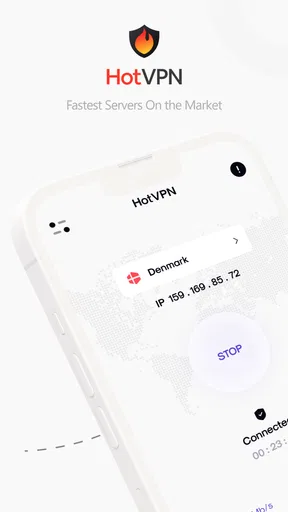
First off, downloading HotVPN was a breeze. Available for both Android and iOS, it’s just a quick tap away in your app store. Once installed, the app greets you with a clean and straightforward interface. No unnecessary clutter, just what you need right upfront. It’s like having a friendly guide ready to help you secure your internet travels.
Interface and Usability
Let’s talk about the interface. The main screen offers a big, inviting button that says "Connect." One tap and you’re off to the races. You can choose from a variety of server locations, which is great if you’re trying to access content that’s region-specific. The app doesn’t bombard you with ads or complicated settings, which is always a win in my book. Simplicity is key, and HotVPN nails it.
That uncluttered layout is useful when I need to make a quick choice, but there is a trade-off: fewer visible controls can leave experienced users wanting more ways to tailor a connection. I’d treat the location picker as a practical starting point, not a promise that every listed location is ideal for every task. If a page or app behaves oddly after connecting, switching back to a regular connection is a useful comparison before assuming the service itself is broken.
A small workflow tip: decide what you need before opening the app. If the goal is simply to protect a short browsing session on an unfamiliar network, connect first, then open the apps you plan to use. If you are troubleshooting a login or a payment page, compare its behavior with the VPN off before repeating the action several times. Some services react differently to changed network routes, and that can save time and avoid unnecessary account checks.
Performance and Speed
Now, onto the speed – because who wants a slowpoke VPN? During my tests, I connected to several servers across different continents, and I was pleasantly surprised. Streaming videos and browsing felt almost as speedy as my normal connection. There was minimal buffering, and I could watch my favorite shows without interruption. It’s not every day you find a VPN that doesn’t slow you down.
My practical takeaway is to judge performance on the connection you actually use, rather than expecting one experience to represent every location or network. If a video stutters, I’d try a nearby option and compare, then test the same service without the VPN. That simple A/B check helps separate a VPN-related slowdown from a weak Wi-Fi signal or an issue with the streaming app. A server that feels responsive for text-heavy browsing may not be the best choice for a long video call or a large download.
There is no universal “best” server for every person. Distance, congestion, and the network you are on can all affect how a VPN feels, so I’d favor a stable connection over repeatedly chasing a location that sounds faster. If your normal connection is already unreliable, adding a VPN may make the problem more noticeable. In that situation, I’d fix the underlying Wi-Fi or mobile-data issue first instead of expecting a VPN to improve it.
Security Features
Of course, the primary reason we use VPNs is for security, right? HotVPN doesn’t skimp here. With encryption protocols that keep your data safe from prying eyes, you can surf with peace of mind. Whether you’re checking your bank account or just scrolling through social media, it’s like having an invisible shield protecting your data.
I’d keep that reassurance in proportion. Encryption is relevant, but careful users should also understand who operates the service and how its privacy terms describe handling connection information. Before using any VPN for banking or other sensitive activity, I’d read those terms and consider whether the provider’s approach meets my own comfort level. A VPN can reduce exposure on a network, but it does not replace a trusted website connection, account security, or common sense about suspicious links.
For everyday use, the most helpful habit is to be deliberate about when the VPN is on and to check its status after changing networks. If an app refuses to load or a site repeatedly challenges a sign-in, temporarily disconnecting can help identify whether the route is causing the friction. I would not interpret that as a reason to leave protection off everywhere; it is simply a way to troubleshoot thoughtfully rather than treating every connection problem as a security failure.
Why Choose HotVPN?
At this point, you might be wondering, "Why should I choose HotVPN over the myriad of other VPN apps out there?" Well, let’s break it down:
- Ease of Use: It’s incredibly user-friendly, even for VPN newbies.
- Speed: Offers fast connections without compromising on security.
- Security: Implements robust encryption standards to protect your data.
- Accessibility: A wide range of servers to bypass geo-restrictions.
Compared with a VPN built around advanced configuration, HotVPN’s appeal is the lighter, more immediate approach described here. That can be a better fit than a feature-heavy alternative when I want a simple connection without spending time tuning options. On the other hand, people who need granular controls or want to evaluate a provider through extensive technical and privacy documentation may prefer a service that puts those details front and center. The right comparison depends on what you need to control, not just how quickly an app gets you connected.
It is also worth separating occasional use from a permanent setup. If I only want a VPN for a particular browsing session, an easy-to-open tool may be enough. If I plan to depend on one every day for work, travel, or repeated access to location-sensitive services, I would look more closely at reliability, privacy terms, and the way it handles changes between networks. A good fit for casual use is not automatically the best fit for a high-stakes routine.
Who I’d Recommend It To
I’d point a VPN newcomer toward HotVPN if their priority is an approachable way to start using this kind of tool for ordinary browsing. It may also suit someone who values a free option and does not want a complicated interface. The Android requirements are broad enough to include devices running Android 6.0 or later, while iPhone and iPad users should check their own store listing before installing. Its Everyone rating also makes clear that it is presented for a general audience, not as a specialist work product.
I would steer a different user elsewhere: someone who needs detailed controls, a clearly documented fit for confidential work, or dependable access to a particular streaming catalog should compare alternatives against those specific needs. A VPN’s name, a list of locations, and a good initial browsing experience are not enough to settle those questions. In those cases, I’d choose based on the provider’s documented policies and the features I actually need, even if that means accepting a less simple interface.
Final Thoughts
In a world where online privacy is becoming ever more crucial, HotVPN - Fast, Safe VPN stands out as a reliable choice. It combines speed, security, and simplicity in one neat package. Whether you're a casual browser or someone who needs to secure sensitive data, this app has got you covered. So, if you’re in the market for a VPN, give it a try and see how it fits your digital lifestyle. You might just find it’s the perfect companion for your online adventures.
My verdict is more specific: HotVPN is most appealing when you want a straightforward, free VPN option for everyday browsing and are comfortable checking that it suits your privacy expectations. I like the emphasis on an uncomplicated connection, but I would not treat the interface or a smooth session as proof that it meets every security, streaming, or business requirement. If that balanced description matches your needs, it is worth considering; if you need extensive control or documented assurances for sensitive use, compare more specialized options first.
Pros
- Fast connection speeds for streaming.
- User-friendly interface
- easy to navigate.
- Supports multiple devices simultaneously.
- Strong encryption ensures privacy.
- Global server locations enhance access.
Cons
- Limited free version with capped data.
- Occasional connection drops reported.
- No advanced settings for tech-savvy users.
- Ads can be intrusive in free version.
- Customer support lacks live chat option.
FAQs for HotVPN - Fast, Safe VPN
What platforms is HotVPN available on?
HotVPN is designed for both Android and iOS devices, ensuring a wide range of compatibility. Users can download the app from the Google Play Store for Android devices or the Apple App Store for iOS devices, making it accessible for most smartphone and tablet users.
Is HotVPN free to use, or does it require a subscription?
HotVPN offers both free and premium subscription options. While the free version provides basic VPN services, the premium subscription unlocks advanced features such as faster speeds, more server locations, and enhanced security protocols. Users can choose the plan that best fits their needs and budget.
How does HotVPN ensure user privacy and security?
HotVPN employs advanced encryption protocols to protect user data from prying eyes. The app does not keep logs of user activity, ensuring that browsing history and personal information remain confidential. This commitment to privacy makes it a reliable choice for users seeking secure online experiences.
Can HotVPN be used for streaming and accessing geo-restricted content?
Yes, HotVPN is optimized for streaming and can help users access geo-restricted content on platforms like Netflix, Hulu, and BBC iPlayer. By connecting to servers in different countries, users can bypass regional restrictions and enjoy a wider array of content without buffering issues.
What are the common issues users might face with HotVPN, and how can they be resolved?
Users may occasionally experience connection drops or slower speeds with HotVPN. These issues can often be resolved by switching to a different server or checking the device's internet connection. For persistent problems, contacting customer support through the app can provide additional assistance and troubleshooting steps.


